Vocal pitch editing
Phantom Tune
Keep the voice. Shape the pitch.
Bring vocal pitch into focus in a visual editing workspace. Inspect detected pitch against corrected notes, choose the musical scale, and adjust the correction response around the performance.
Coming soon
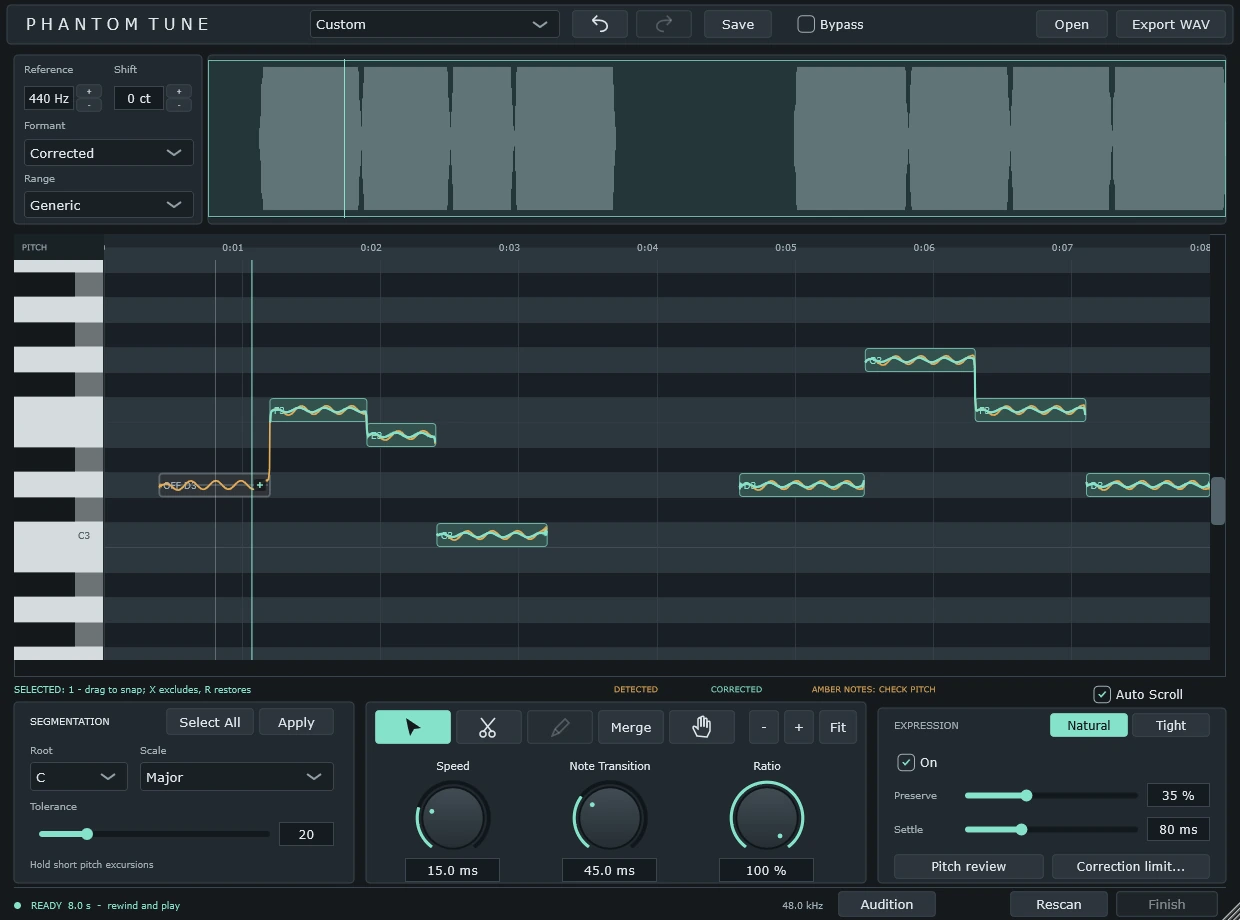
Actual interface from the existing Phantom Tune development build.
Made for your session.
See the performance
Work with a waveform and piano-roll pitch view to inspect phrases and their detected notes.
Guide the correction
Choose a root and scale, then adjust Speed, Note Transition, and Ratio to shape how correction responds.
Keep your expression
Use the expression controls and pitch review tools to make deliberate decisions about the character of each phrase.
Hear Phantom Tune
Inside the session.
Audio comparisons and walkthroughs are coming soon.
Coming soon. Purchase access and downloads will be available at launch.